Getting resource pack order right
Create a resource-pack order you can explain and reproduce. Identify overlapping materials, compare minimal configurations, and keep a small sample wall that makes conflicts and intentional visual changes easier to distinguish.
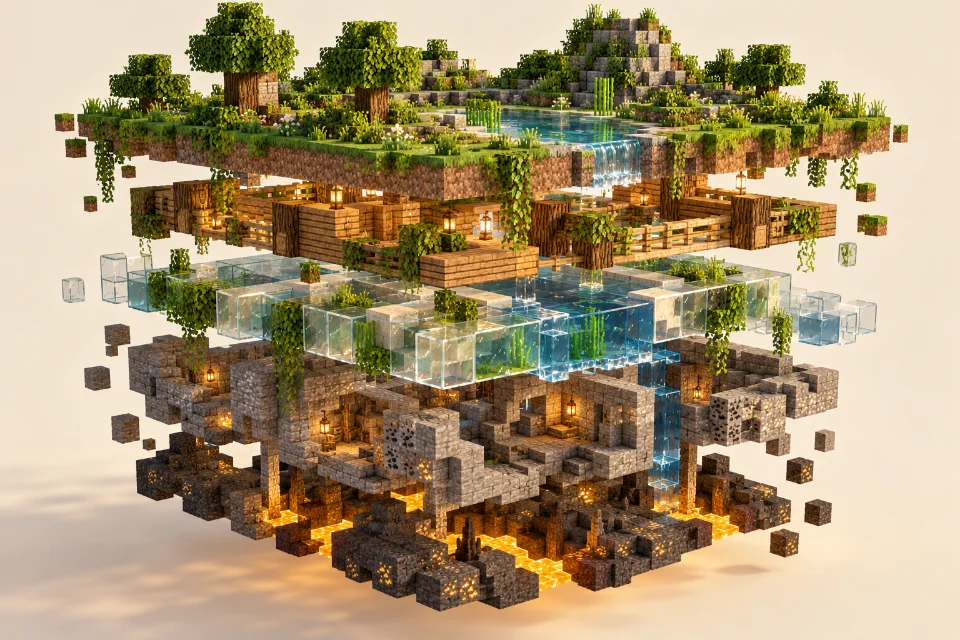
Identify overlapping materials
Two packs can both change glass or another common material. Read their descriptions and identify overlaps before rearranging the list. A pack with connected-texture rules may need different setup from a general texture replacement, so preserve any author-provided instructions.
Change one position at a time
Follow the authors' recommended order where available. Let the game finish reloading resources after every change before judging the result. Take a screenshot of the working list so that you can restore it after experiments instead of relying on memory.
Keep a sample wall
Build a compact wall containing common materials, straight edges and corners. Check it after every order change. If an effect disappears, disable the overlapping pack and compare again. Record the successful order alongside the mod list to reproduce the same appearance in another profile.
Map which packs affect the same material
Start with a list of the packs you want to combine and the features each is supposed to provide. Separate broad texture replacements from narrow additions, such as a glass treatment or a supported decorative effect. Read the descriptions for overlap instead of assuming a small pack changes only one obvious texture. Supporting files can matter even when they are not visible in a promotional image.
Choose a few representative materials for comparison. Glass, a wall block, and a decorative example may be enough for the first round. Write down which pack you expect to control each one. This makes the result measurable: you can identify whether a particular appearance comes from the intended pack rather than deciding only that the overall scene looks different.
Establish one pack's appearance by itself
Test the main pack on a small sample wall before combining it with everything else. Confirm that the materials you selected appear as the author describes in a supported setup. Take a screenshot and record the active list. Then test the smaller addition in the arrangement its author recommends. These separate observations give you reference points for interpreting the combined result.
If a pack does not produce its intended effect by itself, solve that problem before experimenting with its position among several archives. A missing dependency, unsupported material, or inactive pack is a different issue from an overlap. Changing the order of unrelated packs will not establish what the failing pack is supposed to do in the first place.
Follow documented ordering instructions
When authors provide instructions for combining packs, use those as the starting arrangement. Record the list in the same order shown by the game so there is no ambiguity later. If one project offers a dedicated compatibility variant, read what that variant expects before adding it. Do not treat a filename containing compatibility as proof that it suits every possible combination.
Change one position at a time and allow resource loading to finish. Inspect the same sample after each change. A short record with the active order and observed result is enough to prevent repeated experiments. If you discover a working arrangement, save it immediately. There is little value in continuing to shuffle a successful configuration without a specific remaining problem to investigate.
Make the sample wall answer useful questions
Include straight runs, isolated blocks, and both corner directions for the materials you care about. Place a plain contrasting background behind transparent surfaces. If your build uses panes, make a separate sample rather than treating full blocks as proof that every arrangement works. Label each material so screenshots remain understandable after you return to the project later.
Use more than one viewing angle. A pattern may look consistent from straight ahead yet reveal an unwanted join at a corner. A transparent material may look acceptable against the sky but confusing against a detailed interior. Testing these conditions in one compact area is faster than discovering them across several completed buildings after you have forgotten the previous pack order.
Distinguish overlapping assets from missing support
If a material changes when another pack is activated, you have a useful clue about overlap. If it never displays the intended effect in any minimal supported setup, investigate its requirements and documented coverage instead. These observations lead to different next steps. Keep them separate in your notes so you do not interpret every unchanged block as a priority problem.
A pack marketed around a familiar visual ecosystem may contain several different features. One effect working does not guarantee that the entire collection is supported by your installed components. Identify the exact missing behavior before changing order again. Describe whether you mean texture artwork, shared borders, a particular model, or a lighting-related impression. Precise descriptions make both self-diagnosis and support requests more effective.
Restore a larger collection gradually
Once two packs work together, add the rest of your collection one archive at a time. Repeat the sample test after each addition and note any change in the materials you are tracking. This takes some patience, but it produces a clear answer about which addition introduced a conflict. Activating ten packs together may seem faster until you have to untangle the result.
Keep optional visual mods and shader-related changes outside this ordering experiment until the pack list is understood. If several layers change at once, a different reflection or lighting effect can be mistaken for a texture replacement. First establish the material appearance in the supported baseline, then judge the complete visual setup. The sequence keeps the reason for each result easier to explain.
Preserve a reference configuration
Save the working pack order, the release of each archive, and screenshots of the sample wall. Keep the record outside the resourcepacks directory so it remains available if you replace the profile. Include the game and mod versions as context, because a successful arrangement belongs to a particular setup rather than being a universal rule for every future release.
When a pack updates, test it in a duplicate instance before replacing the version you use regularly. Compare the new artwork and the connections, not just whether the game reloads successfully. A change can be technically functional while altering the style of a finished building. Keeping the earlier arrangement available allows you to choose deliberately rather than being forced to redesign immediately.
Turn the final list into a maintenance habit
If you maintain several visual themes, save each as a clearly documented configuration instead of repeatedly improvising the order. A medieval town and a modern glass house may use different palettes, but each configuration should still identify its active archives and requirements. Use separate test profiles when the collections also need different supporting components. Label screenshots with the configuration name so a comparison does not accidentally mix two setups. When returning to an older theme, start from its saved record rather than the current list from another project. This habit is particularly helpful when a subtle material difference matters and your memory of the earlier appearance is unreliable.
After settling on an order, use it for several normal sessions. Visit your main base, storage room, paths, and any builds containing the affected materials. This checks the appearance in the places you actually use. A small test wall is excellent for diagnosis, but ordinary play reveals whether the final palette remains readable and comfortable across the wider world.
Update your record whenever you make a deliberate change. You do not need a complicated spreadsheet; a short list and a few screenshots are usually sufficient. The goal is to avoid rebuilding knowledge from memory. A well-documented pack order becomes a dependable part of the profile, making future updates, troubleshooting, and transfers to another instance much easier to manage.
Official references
Check current release requirements in the Continuity project listing and Fabric installation documentation.